Example Prompts and Tips for Natural Language Search
Use the example prompts and tips below to write effective natural language queries and find relevant content in Gallery. Include details such as your goal, audience, content format, and workflow status to narrow your search and improve results.
Example 1: Semantic Search
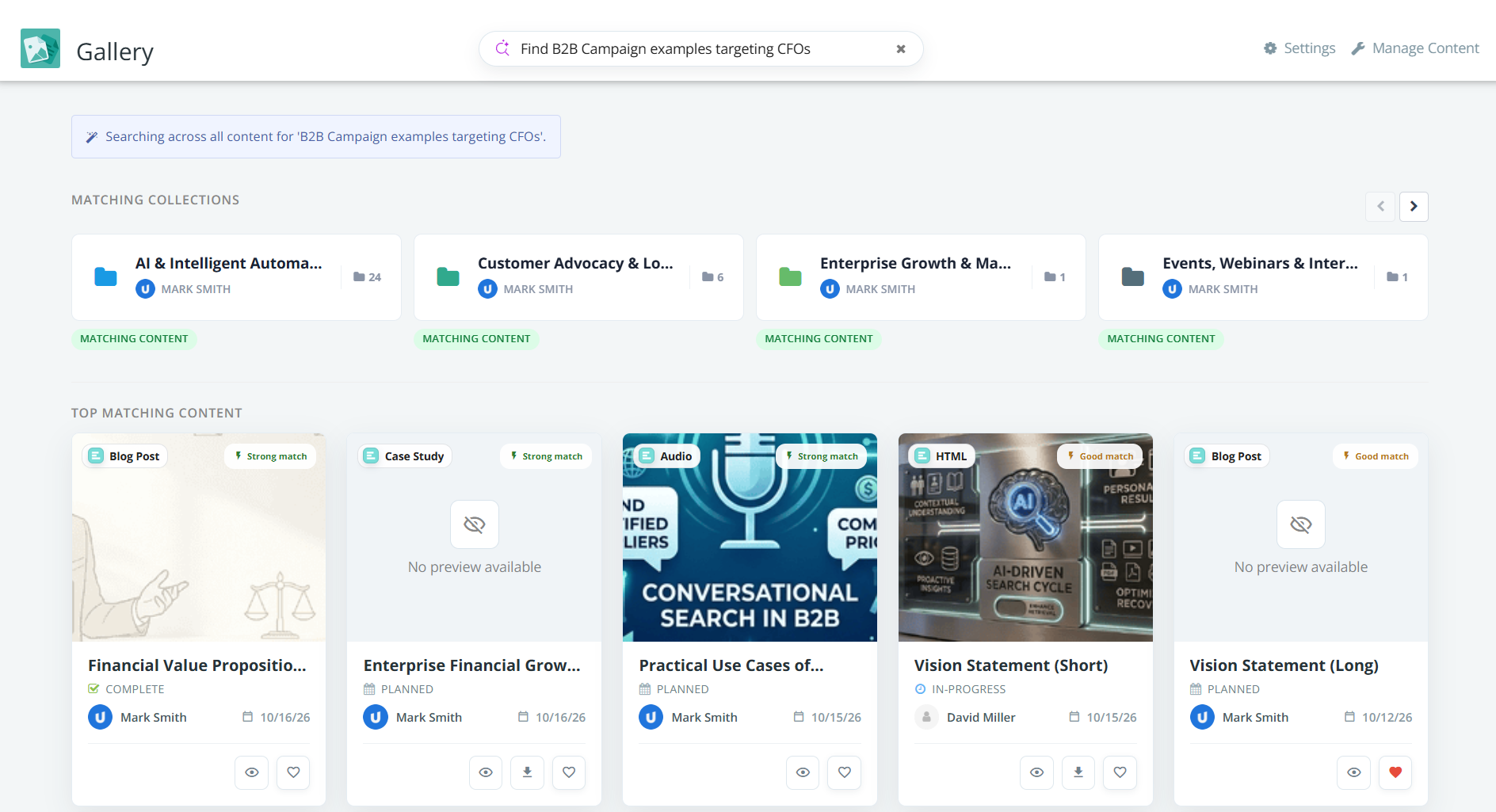
Query: Find B2B Campaign examples targeting CFOs
Gallery uses semantic keywords such as B2B campaigns, examples, and CFO targeting to find relevant content. No filters are applied, so results are based on the meaning and context of the query.
Example 2: Content Type, Author, Publication Status, Date, & Topic
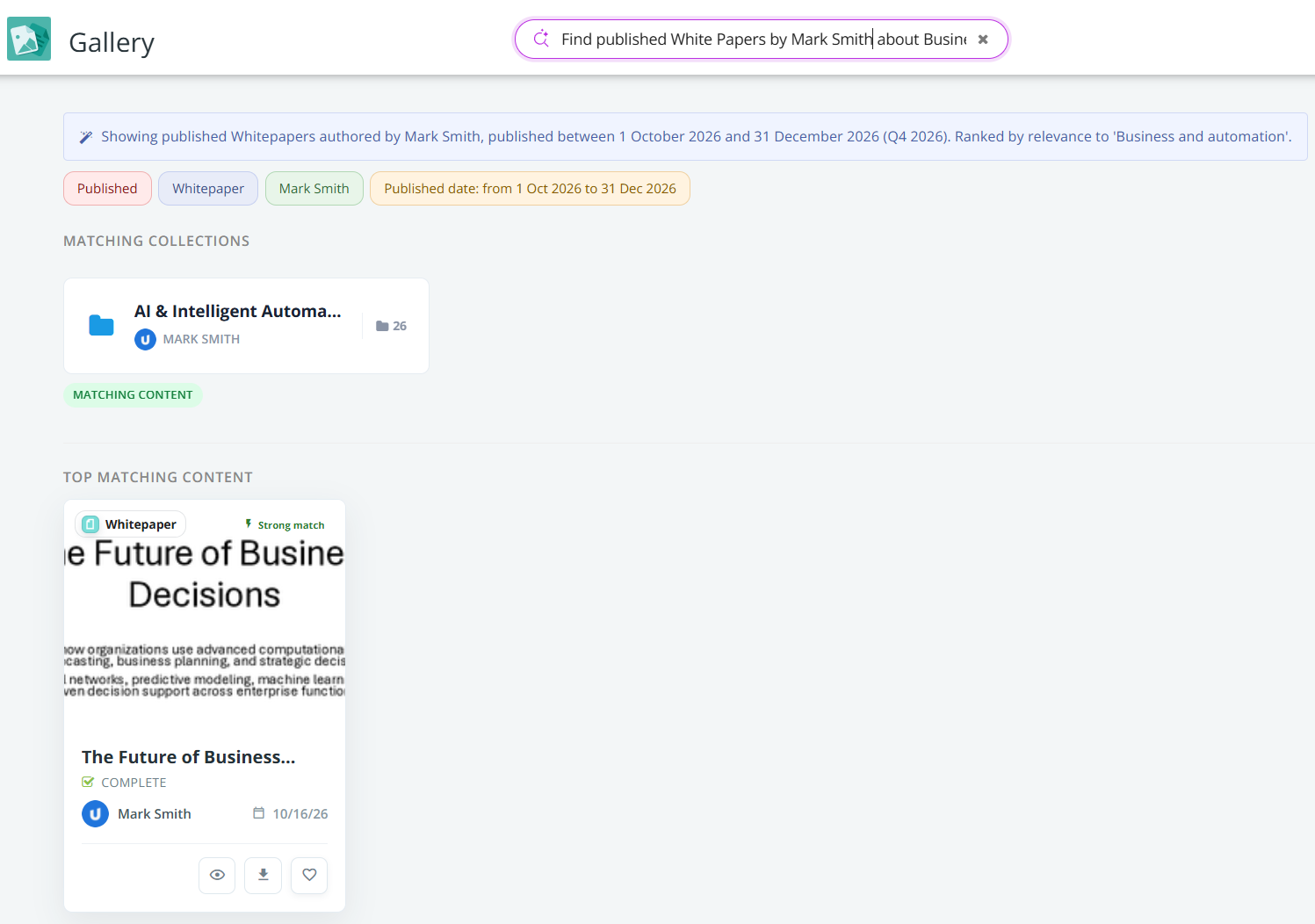
Query: Find published White Papers by Mark Smith about Business and Automation published in Q4 2026.
Gallery applies filters for publication status (Published), content type (White Paper), author (Mark Smith), and publication date (September 1–December 31, 2026). Semantic keywords (Business and Automation) are used to identify content related to the specified topic. Results will match the selected filters and be relevant to the topic.
Example 3: Combined Filters, Alternatives, & Negation
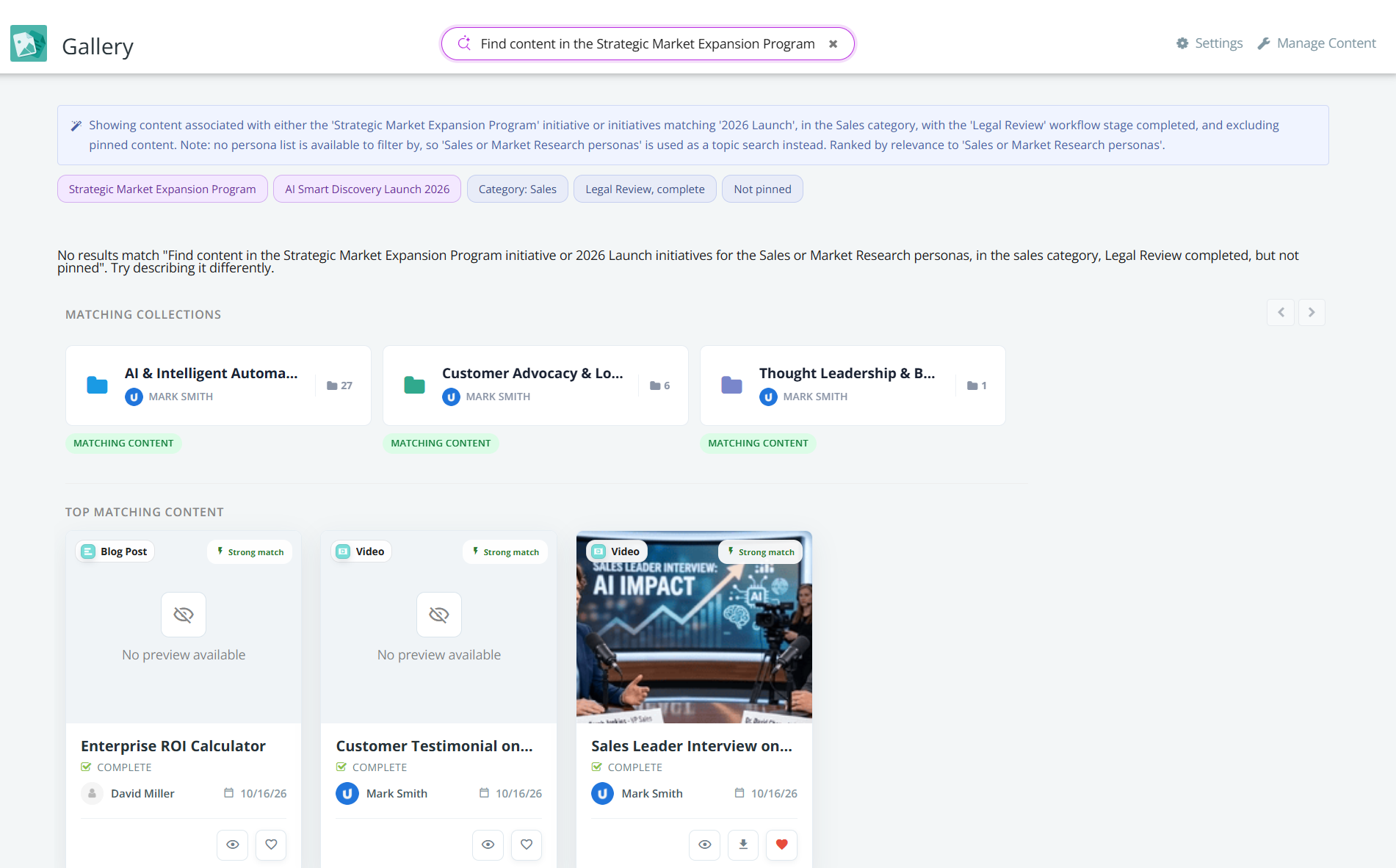
Query: Find content in Strategic Marketing Expansion Program or 2026 launch initiatives for Sales or Marketing research personas, in the Sales category, completed at the legal review stage, but not pinned.
Gallery applies filters for initiatives ( Strategic Marketing Expansion Program or 2026 Launch), personas (Sales or Marketing), category (Sales), progress stage (Completed), workflow stage (Legal Review), and pinned status (not pinned). No semantic keywords are used, so results are determined by the specified filter criteria, including the alternative values and exclusion.
Example 4: Gallery Flags, File/Body Types, Presence, Favorites, & Sorting
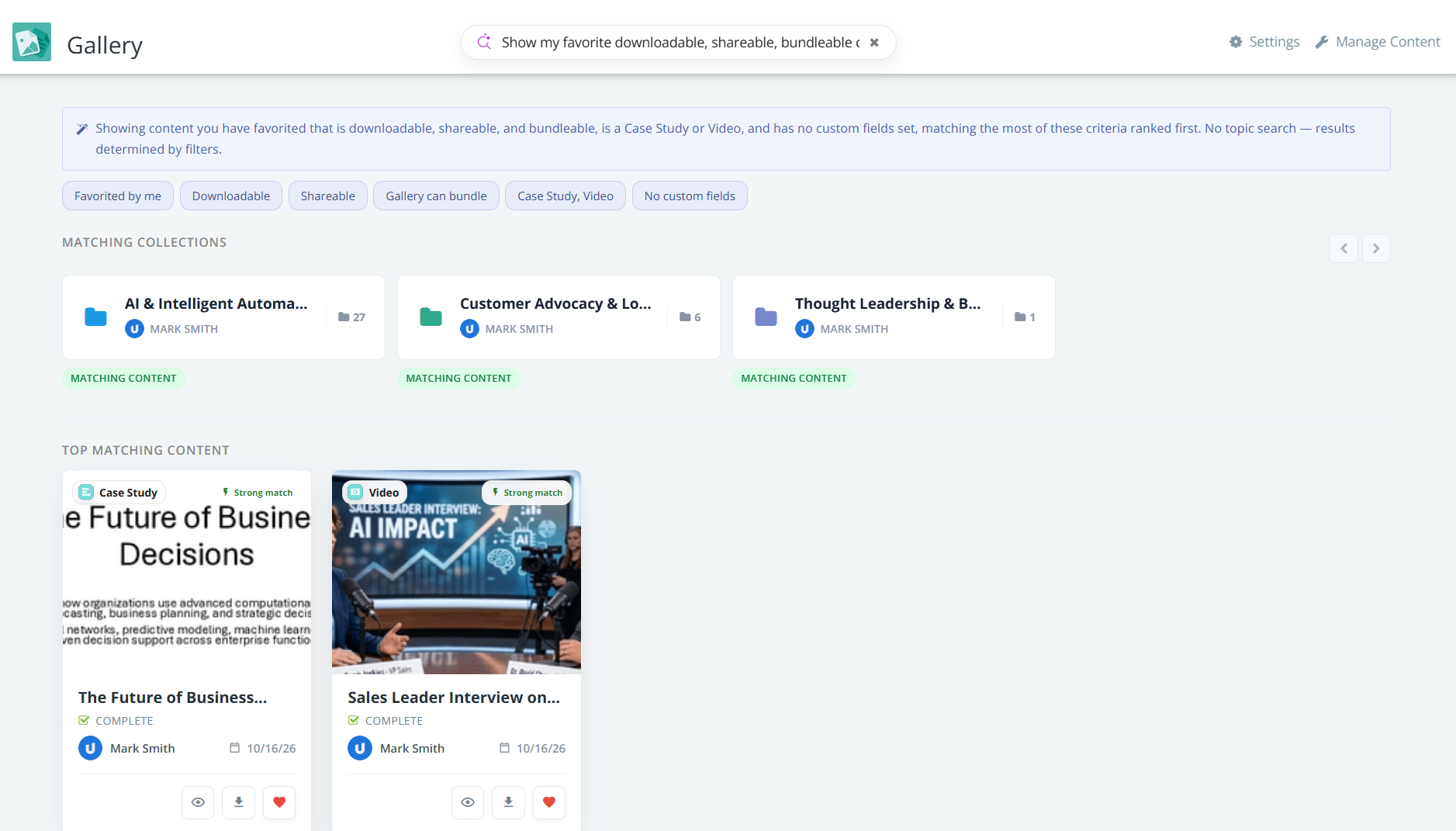
Query: Show my favorite downloadable, shareable, bundleable content with a case study or video body type, and has no custom fields.
Gallery applies filters for content favorited by the current user, downloadability, shareability, bundle availability, case study or video body type, and the absence of custom fields. No semantic keywords are used, so results are based entirely on the specified filters.
Tips for Better Search Results
-
Describe your goal: Search for "case studies for an enterprise sales pitch" instead of using a broad term such as "case studies".
-
Specify the audience: Include the intended audience or industry, such as "manufacturing case studies for sales teams".
-
Include the content format: Add terms such as "PDF", "presentation", "one-pager", or "video" to narrow your search.
-
Include relevant attributes: Specify a workflow status, initiative, or target persona when these details are relevant to your search.
-
Use natural phrasing: Describe the content you need instead of trying to guess its exact title or tags.
-
Review match indicators and summaries: Use match indicators and the AI Summary to evaluate relevant content before downloading them.
-
Explore matching collections: Browse matching collections to discover related content grouped together.